

You have lived a life rich with experiences, milestones, and countless precious moments. Today, many of these memories live not just in your mind, but also on your smartphone, tablet, and computer. From digital photos of family gatherings to videos of your grandchildren, preserving these digital treasures becomes increasingly vital.
These cloud solutions are a prime example of accessible technology designed to make complex digital tasks simple and inclusive for everyone.
Embracing modern technology empowers you to safeguard these memories effortlessly. Cloud storage offers a secure, accessible, and convenient solution for backing up your digital life. It removes the worry of losing everything if a device fails. This guide helps you understand how cloud storage works and how to choose the best option for your needs.
What is Cloud Storage Anyway?
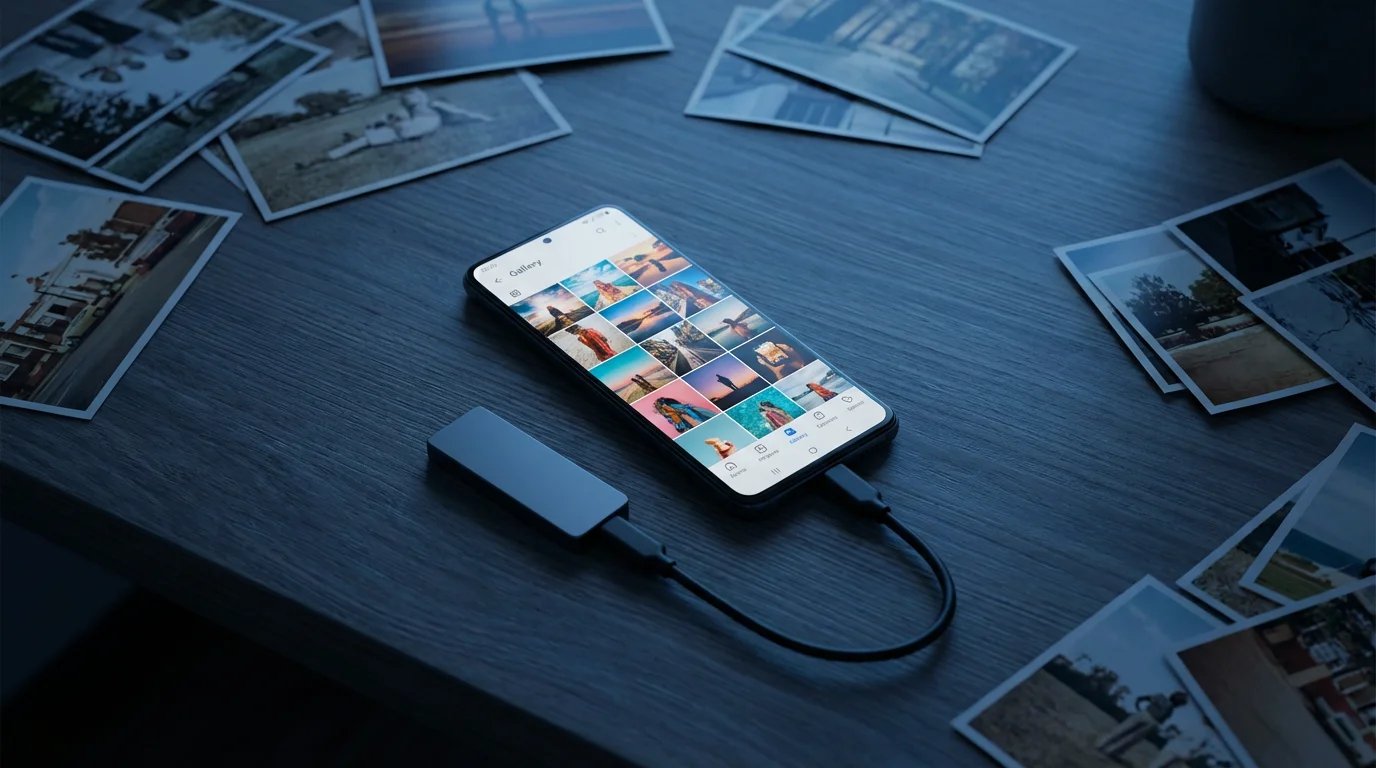
Cloud storage represents a fundamental shift in how we keep our digital files. Instead of storing data solely on your personal devices, it stores your files on a vast network of servers. These servers are located in secure data centers maintained by cloud providers. You access your data via the internet, allowing flexibility and peace of mind.
Beyond personal memories, these secure servers are also becoming essential for managing your medical information and health history efficiently.
Think of it as renting a secure, infinitely expandable digital locker in the sky. You upload your photos, videos, documents, and other files to this locker. Then, you can retrieve them from any internet-connected device, anytime, anywhere. This setup significantly reduces the risk associated with physical device failures or loss.

Why Cloud Storage Matters for Your Memories
Your collection of digital photos and videos holds immense sentimental value. A lost smartphone or a crashed hard drive can instantly erase years of precious moments. Cloud storage provides a vital layer of protection against these common misfortunes. It ensures your memories remain safe and accessible for generations to come.
Just as cloud storage offers safety for your files, fall prevention technology provides peace of mind for your physical wellbeing in an active retirement.
Securing these files is also a key part of modern legacy building, much like protecting your online assets during digital estate planning.
Furthermore, cloud storage simplifies sharing these memories with family and friends. You can easily create shared albums or folders, allowing loved ones to view and contribute. This collaborative aspect enhances the experience of digital memory keeping. It transforms your personal archive into a shared family legacy.
Consider these compelling benefits of using cloud storage for your digital memories:
- Loss Prevention: Your files remain safe even if your device is lost, stolen, or damaged.
- Accessibility: Access your photos and documents from any computer, tablet, or smartphone with an internet connection.
- Effortless Sharing: Share entire albums or individual photos with ease, without emailing large files.
- Space Saving: Free up valuable storage space on your devices by moving files to the cloud.
- Automatic Backup: Many services offer automatic syncing, so your new photos back up as you take them.
- Organization: Utilize cloud features to organize, search, and manage vast collections efficiently.

How Does Cloud Storage Work: Simply Explained
The concept behind cloud storage is straightforward, even if the underlying technology is complex. When you use a cloud storage service, you connect to your provider’s servers through the internet. Your files then transfer securely to these servers. The provider stores your data across multiple physical machines to ensure redundancy and prevent data loss.
This real-time synchronization is also what allows data from a fitness tracker to be accessible across all your devices instantly.
The same connectivity that powers the cloud also supports various gadgets that make aging in place easier by connecting your home to the digital world.
This ability to access files from any global location is particularly useful for those pursuing a digital nomad retirement while traveling.
When you want to access a file, you log into your account, and the service retrieves it from their servers. It then streams or downloads the file to your device. This process happens quickly and seamlessly, often feeling as if the files are still stored locally. This network of remote servers constitutes the “cloud.”
“For many Americans, the smartphone serves as a primary tool for connecting with the world, creating content, and storing memories.”
Providers employ robust infrastructure to manage this data. They typically distribute your data across multiple data centers. This geographic redundancy protects your information even if one data center experiences an issue. It forms the backbone of reliable `data backup` in the digital age.

Choosing Your Cloud Partner: Key Considerations
Selecting the right cloud storage service involves evaluating several factors to match your specific needs. Not all services offer the same features, pricing, or levels of security. You must assess your priorities before committing to a provider. This thoughtful approach ensures you choose a solution that serves you well for years.
When evaluating the cost of these services, it’s helpful to use modern budgeting apps to track your monthly digital subscriptions effectively.
Consider these crucial aspects when making your decision:
- Storage Capacity: How much data do you need to store? Many services offer a few gigabytes free, with paid plans for terabytes of storage. Estimate your current digital photo and video collection size.
- Cost: Free tiers often suffice for basic use, but larger storage needs require a subscription. Compare monthly or annual fees across providers. Look for plans that offer good value for the storage provided.
- Ease of Use: The interface should be intuitive and user-friendly. Can you easily upload, download, share, and organize files? Test free versions or trials to gauge usability.
- Security and Privacy: This is paramount for your personal memories. Does the provider offer encryption for data in transit and at rest? What are their privacy policies regarding your data? Strong security measures protect your precious files.
- Device Compatibility: Ensure the service works seamlessly across all your devices, including smartphones, tablets, and computers. Check for dedicated apps and desktop sync tools.
- Photo-Specific Features: If `photo storage` is your primary goal, look for features like automatic photo backup, facial recognition, smart albums, and basic editing tools.
- File Versioning: Can you recover previous versions of a file? This feature proves invaluable if you accidentally overwrite or delete an important document.
- Customer Support: Good customer service can make a difference if you encounter issues. Investigate their support options.
For detailed cloud service comparisons, CNET provides comprehensive reviews and evaluations that can help inform your decision.

Popular Cloud Storage Services for Photos and Files
The market offers several robust and widely-used cloud storage solutions, each with its strengths. Understanding these options helps you determine `what is the best cloud storage for photos` and other files. Many services provide excellent free tiers, allowing you to test them before committing to a paid plan.
These services are perfect for storing high-resolution images after a day of hiking for seniors on the local trails.
Cloud services are among the essential apps for the modern retiree that provide both functionality and security in the digital age.
Here are some of the most popular and reliable choices:
- Google Drive/Google Photos: Google Drive offers generous free storage and deep integration with Google’s ecosystem. Google Photos provides excellent photo management, including automatic backups and powerful search capabilities. Its AI features can organize your memories by people, places, and things.
- Apple iCloud: Ideal for Apple users, iCloud integrates seamlessly across iPhones, iPads, and Macs. It offers easy `photo storage` and device backups. The free tier is smaller, but paid upgrades are straightforward.
- Dropbox: A veteran in cloud storage, Dropbox excels in simplicity and cross-platform compatibility. It is known for its user-friendly interface and robust file sharing features. While it offers less free storage than some competitors, its reliability is a strong selling point.
- Microsoft OneDrive: Part of the Microsoft ecosystem, OneDrive integrates well with Windows and Office 365. It offers solid storage options and is particularly useful for those who primarily use Microsoft products. OneDrive also has strong photo features.
- Amazon Photos: If you are an Amazon Prime subscriber, you receive unlimited full-resolution `photo storage` as part of your membership. This makes Amazon Photos an incredibly attractive option for anyone with a vast collection of images. It also offers 5GB for video and other files.
Each of these services offers a secure environment for `data backup`, ensuring your digital assets are protected.

Setting Up Your Cloud Storage: A Practical Guide
Getting started with cloud storage is simpler than you might imagine. The process typically involves a few straightforward steps, regardless of the service you choose. This initial setup establishes your digital archive. Follow these general steps to begin your `cloud storage` journey:
As you set up your new accounts, remember to stay vigilant against financial scams targeting retirees that often use fake storage alerts to steal data.
Once your digital archives are backed up, you might consider sharing your story with family and friends through a personal blog or website.
- Choose Your Provider: Based on your needs and the considerations outlined previously, select a service like Google Drive, iCloud, or Amazon Photos.
- Create an Account: Visit the provider’s website or download their app. Sign up using your email address and create a strong, unique password. Enable two-factor authentication for added security.
- Install the App/Software: Download and install the desktop application for your computer and the mobile app for your smartphone and tablet. This ensures seamless syncing across all devices.
- Configure Settings: Open the app and adjust settings according to your preferences. Decide which folders to sync automatically, whether to upload photos only on Wi-Fi, and if you want to optimize storage on your device.
- Start Uploading: Begin uploading your existing photos, videos, and documents. You can often drag and drop files into the cloud folder on your computer. On mobile, select photos within the app to upload.
- Verify Backup: After uploading, always check your cloud account online to confirm that your files have backed up correctly. This verification step provides peace of mind.
This systematic approach ensures a smooth transition to a more secure digital future.

Mastering Digital Archives: Best Practices
Moving your memories to the cloud is just the first step. Effective management ensures your digital archives remain organized, accessible, and secure. Implementing a few best practices helps you maintain a pristine and functional `photo storage` system. You gain confidence in your ability to retrieve any file at a moment’s notice.
Consider these tips for mastering your cloud archives:
- Consistent Naming Conventions: Adopt a clear naming system for files and folders. For example, “2023_FamilyVacation_Hawaii” makes retrieval much easier.
- Regular Organization: Dedicate time periodically, perhaps monthly or quarterly, to organize new uploads. Delete duplicates and irrelevant files to keep your storage clean.
- Utilize Albums and Tags: Most `photo storage` services offer features to create albums or add tags. Use these extensively to categorize photos by event, person, or location.
- Review Access Permissions: If you share folders or files, regularly review who has access. Ensure only intended recipients can view or edit your content.
- Maintain a Backup Strategy: While cloud storage is a backup, consider a “3-2-1” strategy. This means three copies of your data, on two different types of media, with one copy offsite. An external hard drive can complement your cloud `data backup`.
- Stay Updated: Keep your cloud storage apps and operating systems updated. Updates often include security patches and new features.
- Strong Passwords and Two-Factor Authentication (2FA): Always use strong, unique passwords for your cloud accounts. Enable 2FA for an extra layer of security.

Beyond Photos: The Versatile Power of Cloud
While preserving cherished `photo storage` is a primary driver, cloud storage offers far more versatility. It serves as an invaluable tool for organizing and securing all your important digital assets. Think about wills, trusts, financial documents, medical records, or even your favorite recipes. Storing these in the cloud grants you unparalleled access and security.
This centralized approach means you can retrieve essential documents from anywhere, a benefit especially useful for travelers or those with multiple residences. It simplifies estate planning and ensures your loved ones can access necessary information should the need arise. Your digital life becomes incredibly portable and resilient.
Consider these other essential items for `data backup` in the cloud:
- Legal Documents: Copies of your will, power of attorney, deeds, and insurance policies.
- Financial Records: Tax returns, bank statements, investment portfolio details, and receipts for major purchases.
- Medical Information: Prescription lists, immunization records, and summaries of medical history.
- Important Contacts: A digital address book or contact list not tied to a single device.
- Creative Projects: Personal writings, art, music, or other digital creations.
- Software Licenses: Keys or installers for purchased software.
This comprehensive approach to `cloud storage` helps you manage your entire digital footprint effectively.

Safeguarding Your Data: Security and Privacy in the Cloud
Security and privacy understandably remain top concerns for many when considering `cloud storage`. You entrust personal and sensitive information to a third party. Reputable cloud providers invest heavily in securing their infrastructure. They employ advanced encryption and stringent access controls to protect your data.
Most services encrypt your data both when it travels from your device to their servers and when it rests on their servers. They also implement measures like multi-factor authentication. However, your role in maintaining security remains crucial. Your habits directly impact the safety of your digital assets. For insights into digital trends and security best practices, The Verge offers valuable perspectives on technology and privacy.
Follow these critical security and privacy tips:
- Use Strong, Unique Passwords: Never reuse passwords. Create complex ones that combine letters, numbers, and symbols.
- Enable Two-Factor Authentication (2FA): This adds an extra layer of security, requiring a code from your phone in addition to your password. It significantly reduces unauthorized access risk.
- Be Wary of Phishing: Never click on suspicious links or download attachments from unknown senders. Phishing attempts often target cloud credentials.
- Review Privacy Policies: Understand how your chosen provider handles your data. What information do they collect? Do they share it with third parties?
- Avoid Public Wi-Fi for Sensitive Tasks: Public Wi-Fi networks can be less secure. Avoid accessing or uploading highly sensitive documents when connected to them.
- Regularly Monitor Account Activity: Some services provide logs of recent activity. Periodically check these for any unusual access.
- Encrypt Sensitive Files Locally: For extremely sensitive documents, consider encrypting them on your device before uploading them to the cloud. Tools like VeraCrypt or local zip encryption offer this.
By staying informed and proactive, you maximize the security of your `cloud storage`.
Frequently Asked Questions
Is cloud storage truly safe for my private photos?
Yes, reputable cloud storage providers employ robust security measures to protect your private photos. They use encryption, both for data in transit and at rest, and implement strict access controls. Enabling two-factor authentication on your account adds an extra layer of security, significantly reducing the risk of unauthorized access.
How much cloud storage do I actually need?
Your storage needs depend on the size of your digital collection. Most smartphones take photos that are a few megabytes each, while videos consume much more space. A few thousand photos and some videos might require 100-200GB. If you have a vast collection of high-resolution photos and videos, you might need 1TB or more. Start with a free tier, then monitor your usage to upgrade if necessary.
Can I share my cloud storage with family members?
Many cloud storage services offer family plans or allow you to easily share folders and albums with specific individuals. This enables family members to view, and sometimes contribute to, shared digital archives. Review your chosen service’s features for family sharing options, as they vary by provider.
What happens to my data if I cancel my subscription?
When you cancel a paid subscription, providers typically revert your account to their free tier limits. Any data exceeding that limit may be marked for deletion after a grace period. Always download all your data before canceling to ensure you do not lose any important files. Some services offer a few weeks to retrieve your data.
Is cloud storage expensive?
Cloud storage can be very affordable, especially considering the security and convenience it offers. Most services provide a free tier, typically 5GB to 15GB, which suffices for light users. Paid plans vary, with 100GB often costing a few dollars per month, and 1TB or 2TB plans available for around $5-$10 per month. Compare prices to find a plan that fits your budget and storage needs.
Your digital legacy, filled with irreplaceable memories, deserves the best protection available. Cloud storage offers a powerful, accessible, and forward-thinking solution for safeguarding these treasures. Embrace this technology to ensure your photos, videos, and documents remain secure and shareable for years to come. Take the step today to move your precious memories to the cloud and enjoy the peace of mind it provides.
Disclaimer: This article is for informational purposes. Technology, apps, and services mentioned may change over time. We encourage readers to research current options and consider their individual needs when making decisions.









Leave a Reply